


Don't Miss An Episode, Subscribe Now

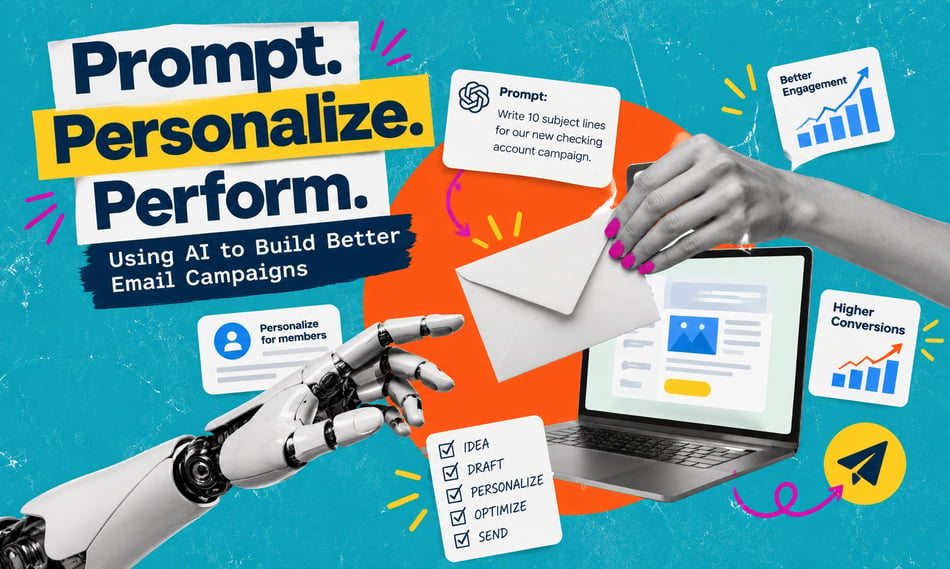
AI can help banks and credit unions create better email campaigns, but getting useful results takes more than a basic prompt. In this episode of the Hit Record Podcast, Meredith Olmstead sits down with Rebecca Gwaltney from FI GROW Solutions to share practical ways marketers can use AI to write stronger emails, generate creative ideas, and build campaigns more efficiently. They also discuss why brand consistency, accuracy, and compliance still require a human touch.
Key Takeaways:
-
1. Better prompts lead to better emails. Give AI clear campaign goals, product details, brand guidelines, and examples of successful emails to get more useful content.
-
2. Don't settle for the first draft. Use AI to brainstorm subject lines, test different messaging, and identify ways to improve engagement.
-
3. One email can become an entire campaign. Turn approved content into follow-up emails, segmented messaging, and additional touchpoints without starting from scratch.


Transcription:
Meredith Olmstead:
Hi there. I'm Meredith Olmstead, CEO and founder of FI GROW Solutions. We are a digital marketing and sales consulting agency. We work exclusively with credit unions and community banks, and I am here with Rebecca Gwaltney. Say hi, Rebecca.
Rebecca Gwaltney:
Hi, everyone.
Meredith Olmstead:
Rebecca is one of our more senior team members, and she really runs all of the strategy and all of our capacity in implementing campaigns and other kinds of creative for our clients. And we have been talking a lot with Rebecca because she does a ton of content writing and creation for campaigns. And we've been talking a lot internally about how to better use AI in both content creation and just generally to get ideas for strategy, for visuals, all kinds of things. And so as we were talking about this, I was like, "Hey, Rebecca, maybe we should hit record. Maybe we should stop and hit record on this conversation because this feels like something that could be super useful for our listeners." So we decided we're going to break it up, so we're going to do that.
We're going to make a couple podcasts about this because it's such an important and big and interesting topic for people, and we're going to break it up into two different areas because we don't want it to get too long. So the first thing we're going to talk about is related to using ChatGPT or Claude or whatever, AI, whatever your AI search or your AI help tool is, and email campaigns and really communicating and driving communications, proactive or reactive, whatever, with your customers or your members and trying to cross-sell, deepen your relationships, communicate, whatever it is. So email creation, email writing, all those things. Rebecca, let's talk about AI. How are we leveraging different types of AI and for different purposes? What's the first thing that you think about when you think about using AI to help you with email campaigns?
How to Use AI to Write Better Marketing Emails
Rebecca Gwaltney:
Yep. Great question, Meredith. Anything to save time for our team and our clients is huge on our mind. So one of the, I'd say, four quick areas that we can just poke holes in together on this call, it all starts with your in-depth brief. So not only the basics, what are you promoting, the goal, what your CTA is, product details, specific pain points, brand voice, all of this information, the more in depth of a brief you give, the easier it will be to start creating ideas and get the output that you're looking for to save you more back and forth.
Meredith Olmstead:
So when you're going to your tool, the first thing you're going to do is really download all of your contacts basically, that you have for that client, for that campaign, for the goal that you're trying to reach, for how people are going to convert, what do you want the email to feel like, sound like, those kinds of things. That makes sense. Okay. And what else? So besides high level, so this kind of high level stuff, what else are you going to do to make sure that it's giving you suggestions that are usable?
Use Existing Email Campaigns to Guide AI Content
Rebecca Gwaltney:
I'd say one of the fastest tips that I would highly recommend, starting with all that, the brand content, the look and feel. I mean, it sounds great and it's great when you have time for that, but even using a free tool and uploading a snippet of a past email that has already been approved by your team and sent out, that is a great shortcut. So you can say, hey, take a little clipping using your snip tool, part of a Chrome extension, pasting that right in your AI tool, even a free version, you can do this and say, "Hey, I'm looking for something like this, but for this product, this campaign, for this season, make it feel warmer." So you can start with something that's already been approved and that's another time-saving tip.
Meredith Olmstead:
Oh, that's nice. So if you have past emails that have converted well, you can take one of those, you can copy the whole thing or you could take a screenshot of it and throw that into your AI tool and then say, "We would like something like this." But again, you say... Be specific, "So I need a header, I need a subhead, I need two short sentences and a couple of bullet points of the main points," that you want it to be scannable. You know what I mean? I need a closing line. I want a funny PS to sign off with. Any of those kinds of really specific. So even if you think about what you want, your entire... The structure of the email to be-
Rebecca Gwaltney:
The structure.
Meredith Olmstead:
... you could even tell them that. You could tell the AI tool that.
Rebecca Gwaltney:
Yeah, yeah.
Meredith Olmstead:
Okay.
How to Improve AI-Generated Email Content
Rebecca Gwaltney:
And instead of just asking for one, ask for 10. My absolute favorite thing is to say, "Hey, I want 10 subject lines and 10 preview text options." And I mix and match and then I'll resubmit the ones I chose and say, "Just make a few updates based on this."
Meredith Olmstead:
Got it.
Rebecca Gwaltney:
So having those options helps my brain think outside of the box, make it more creative, make it funny, make it related to the upcoming fall season or winter season, whatever. That really helps generate some different ideas.
Meredith Olmstead:
Got it. Or you'll get three subject lines and then you can throw those back in and say, "Combine these three into one," that kind of a thing.
Rebecca Gwaltney:
Yeah.
Meredith Olmstead:
Okay.
Rebecca Gwaltney:
Nope, absolutely.
Meredith Olmstead:
And definitely not settling on the first answer of something.
Rebecca Gwaltney:
Nope. Never, never. So we did mention in here, the more info you put in, the better information that you get out. I do want to say if it's a brand new topic, if it's not on an email that you're familiar with or you're trying to be creative, that's fine too. Always put a URL in for something that it can pull information of something specific. So if you're like this auto loan special and you throw a URL for your landing page, it will really target the information down so it's not some just generic piece of information. It can get more specific based on what your credit union or bank is trying to get to.
Meredith Olmstead:
Got it. Okay. What else can you get out of... So okay, besides just some of the creative with guidance from you on what you're trying to accomplish, the brand voice like that, all those kinds of things, what else can you use AI tools for with regard to email marketing?
Rebecca Gwaltney:
Oh, that's an interesting one, Meredith. I think utilizing it not just for a specific one outcome. I think being more general with it and saying, "Hey, be creative for me. Generate 10 abstract ideas." Yeah, I don't know. I think you can use it for anything. And I think we're very limited right now to just email marketing in this conversation, but you could take that, you could say, "Hey, find the 10 problems that you see with this email. Find five reasons people aren't going to open this email. What's an A/B test option that I can do for this email?" So it can really take us to the next step besides just creating that initial email.
Meredith Olmstead:
Got it. Okay. And then if there are things that they didn't include in content, say, but you know might... So one of the things I know that we always talk about with AI is local connections, making sure that it sounds like an actual person is involved. You don't want your content to sound like it came from AI, right?
Rebecca Gwaltney:
Right.
Meredith Olmstead:
So really prompting it to make sure, "Hey, can you mention something about a local neighborhood or a local business or something that makes it sound..." Or like a upcoming event in that area that makes it sound like, hey, a person actually wrote this rather than AI?"
Rebecca Gwaltney:
Yep, absolutely. What else? We already talked about the seasons one. We talked about that. Branded language is important. Yeah, I think all the tools, you can be very creative with it. It doesn't have to stop with just the input, output salesy things. If you get the first response out and you're like, "Ooh, that sounds totally AI generated, this needs to be more creative or funnier," or you could push the envelope and definitely not settle.
Why Human Review and Compliance Still Matter
Meredith Olmstead:
Yeah, yeah. We also talked a little bit about compliance, making sure that you're very careful-
Rebecca Gwaltney:
That's huge.
Meredith Olmstead:
... around the best kind of language. So you can prompt AI to be compliant and to follow compliance, but you also need to be reviewing with a very careful eye for that.
Rebecca Gwaltney:
All the time.
Meredith Olmstead:
Because sometimes you're going to find that it does not always go down as well as... They don't always come out as compliant as they should. Absolutely.
Rebecca Gwaltney:
You're right. Yeah. Even product, Meredith. So we're talking a little bit about either compliance language or certain dates or fees. I don't know, I don't even have a percentage in my mind. Maybe 75% of the time they get it right, but there is always something that I find in there that's incorrect. So whether it is that a specific disclosure, whether it's the fee that they selected, sometimes I think pieces of information are missing when they're actually there. So you always have to do the detective work, fact check what output you're given, and make sure it has that human touch.
Best AI Prompts for Credit Union Email Marketing
Meredith Olmstead:
Got it. Okay. So at the end of this, when we were talking about making this podcast, you actually put together a pretty cool downloadable for people, and basically what it is some of your cheat prompts that you can use in different ways for marketing for banks or credit unions. And these are some of the specifics that you came up with for email. Now, we're not going to read these super slow so people can write them down. You can download these prompts in our downloadable on our website after you listen to this podcast, but just share a couple of them because there's a bunch of them and they're amazing. Some of them are really, really good. But what are some of your favorite prompts that you sometimes use to expand what you would normally be getting from an AI tool in terms of email?
Rebecca Gwaltney:
No, I love it. I absolutely love it. And here's the time savings again. So my favorite one, it's a little long, so bear with me. It's here is our completed email. We talked about submitting that snippet or the screenshot in there. I want to turn this single piece of content into a six email campaign. So analyze the original email first, recommend six distinct email angles that could build a cohesive campaign without repeating the same message. So for each email, provide a purpose, audience segment, key message, subject line, and CTA. Once we approve the angles, we will tweak each email from there.
So that's taking one finalized email that's already been approved by your team and saying, "Hey, I want a six email campaign on top of this." So that's huge. That's a huge time savings for us. You prepare things ahead of time and then you can spread out the deliverables. So that's definitely something that works that we've seen and it gets the creative juices flowing because they don't repeat themselves either. So it's like a brand new campaign or theme every time the email comes out.
Meredith Olmstead:
Yeah.
Rebecca Gwaltney:
Yep.
How to Use AI to Build Email Campaigns and Follow-Ups
Meredith Olmstead:
So I was going to say a couple of your other prompts that I saw that one of them that I really liked, because I like doing this, is using the email below as a foundation. Create a follow-up email for people who received the original email but didn't take action. Don't repeat the same messaging, give them a new reason to engage and a different angle on the same offer. So I'm always pushing clients to send more email because so much of email goes to spam or goes to marketing folders or just gets deleted and ignored, and so it takes a lot of volume really to get in front of people.
And so if you can take one really well-written email that you've created as a team and then have AI reformat it for you into three or four of almost the same things, put it into a workflow that doesn't send it to every single person a million times, but only sends it to the people after they have either not opened it or opened it but not taken action. And so you set up those kind of workflows. So what it basically does is help follow up with people who are still in your segment, who are still in your target audience, but haven't opened one of your emails or haven't done what you were hoping they would do. So you're not going to continue to contact them if they have been engaging, but if they haven't, you can continue to send them something slightly different, but with the same focus or the same goal. And so I really like that prompt.
Rebecca Gwaltney:
Yeah. I love extending and closing that loop a little bit further. You're not just leaving something out there floating, you're creating all these extra steps to help that final action happen.
Meredith Olmstead:
Yeah. Do you want to have one more prompt idea that you want to share with people?
Rebecca Gwaltney:
Let's see here. I have a list. I like this one. Using this campaign email, create a final last chance email. Make it concise, action generated without sounding salesy. Highlight what the reader stands to gain and create appropriate urgency. We always talk about subject lines and preview texts and how do we get them to open that email, but I just love the extra creativity and ideas and outside the box thinking because after a while, if you're doing the same credit union emails for our clients and sometimes you feel in a rut, but using AI tools for creativity and to help generate better open rates-
Meredith Olmstead:
New ideas.
Rebecca Gwaltney:
... and click-through rates, that's huge. Yeah.
Meredith Olmstead:
Yeah. Awesome. Well, thank you, Rebecca. I appreciate you sharing all of these little tips and tricks. We are going to link the AI prompts cheat sheet on our website and on this blog. So please visit us at figrow.com if you would like to download that and have those prompts as ideas for you to use in your credit union or community bank. Also, if you're interested in learning more about marketing for your institution, please visit us. We have lots of other podcasts, case studies, and just resources for you to learn more about how we are helping banks and credit unions just make it happen. So thank you, Rebecca, and let's just all get out there and we will all make it happen.



Blog comments